Why Collecting Money at Sign Up Works Better
Collecting money after the fact is one of the most time-consuming parts of organizing anything. You send reminders, wait for payments to come in, and still end up with a spreadsheet full of question marks the day before your event.
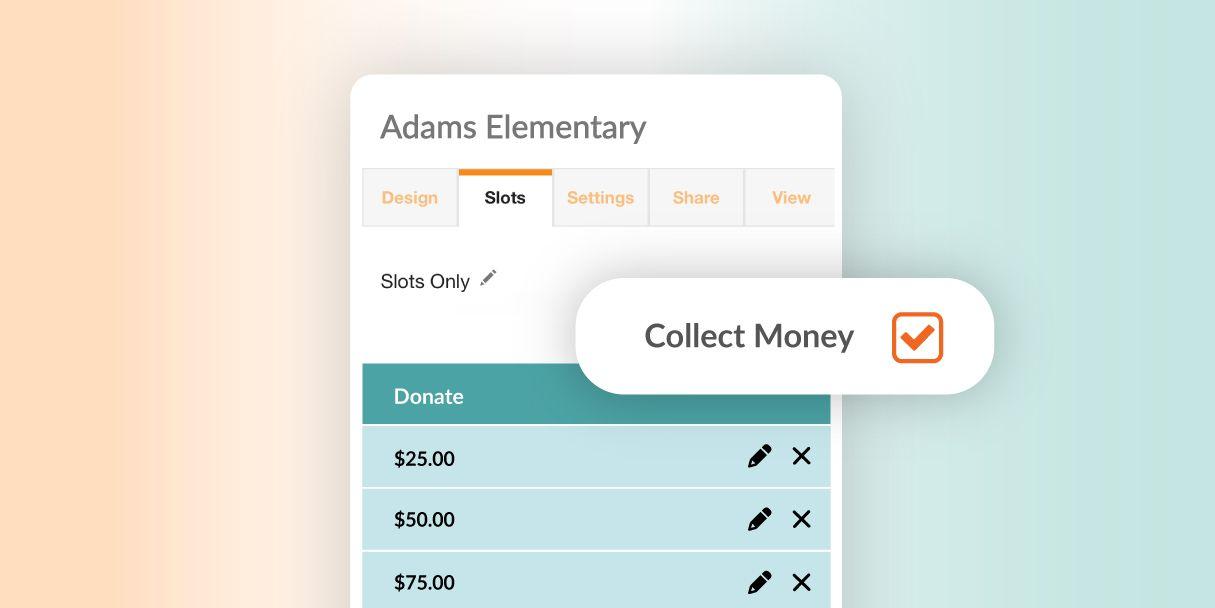
Collecting at sign up fixes this by putting registration and payment in one step. When someone claims a spot, they pay at the same time. You know who’s coming, what they owe and whether they’ve paid, without any follow-up.
Participants can pay by credit or debit card, eCheck, Apple Pay or Google Pay, and they never need to create an account. If someone hands you cash or a check, you can record it in the same place, so every payment shows up in one list.

Genius Tip
Set your sign up to close automatically once slots fill. Pairing slot limits with upfront payment means you will never oversell a spot or follow up on a last-minute cancellation.
SignUpGenius vs. Venmo, PayPal and Cash
Most groups start with whatever’s easiest: a Venmo handle in the group text, a PayPal link, or an envelope at the door. That works for a small group. Once more people are involved, the tracking starts taking more time than the collecting.
| What You Need |
Venmo, PayPal or Cash |
SignUpGenius |
| Know who paid for what |
Match payment notes or envelopes to names by hand |
Each payment is tied to a name and a spot automatically |
| Collect details like shirt size or a waiver |
Send a separate form and match the answers to payments |
Ask questions and collect signatures in the same checkout |
| Cap the number of spots |
Keep count yourself and turn people away after they've paid |
Spots close when they fill, so no one pays for a spot that isn't there |
| Remind people who haven't paid |
Message people one by one |
Automatic reminders go out on a schedule you set |
| Keep group money separate |
Money lands in your personal account |
Funds stay in your SignUpGenius balance until you withdraw |
| Let anyone pay |
Payers usually need the same app |
Payers just click a link, with no app or account needed |
Ways to Collect Money on SignUpGenius
SignUpGenius has a tool for each kind of collection. They all run from the same account and the same payment setup, so you can use more than one without starting over.
- Sign Ups with Payments: Charge for a spot, a shift or an item at the moment someone signs up. Good for workshop seats, field trip spots and per-person event fees.
- Tickets: Sell tickets with different types and prices, cap attendance, and collect attendee details at checkout.
- Fundraisers: Collect donations toward a goal, with a live progress bar so supporters can see how close you are.
- Peer-to-Peer Fundraisers: Give each participant a personal fundraising page that feeds into one main campaign, with leaderboards to keep things moving.
- Dues & Fees: Collect one-time or recurring dues and registration fees, so members pay on a schedule without a new reminder from you.
- Forms & Waivers: Collect info, e-signatures and payment in one step for registrations that need paperwork.
- Online Stores: Sell spirit wear or merchandise with inventory by size and color, shipping at checkout and discount codes.
- Group Gifts: Pool money for a shared gift and send a gift card straight to the recipient.
How to Collect Money Online, Step by Step
Whichever tool you pick, the setup follows the same basic steps.
- Activate payments. Set up your payments account inside SignUpGenius. You only do this once, and it works for every tool in your account.
- Create your sign up or page. Add your time slots, items, ticket types or giving levels. Set a limit on each so you control exactly how many spots are available.
- Set your prices. Charge a flat amount, set different prices for each option, or let people enter their own amount. You can pass the processing fee to payers so your group keeps the full amount.
- Ask for what you need. Add questions like t-shirt size, emergency contact or meal choice so you get the details and the payment together.
- Set a deadline. Use start and stop times so registration closes when you need a final count.
- Share one link. Send it by email or text, or post it anywhere. People choose their spot and pay in the same step.
- Track payments in real time. Your dashboard shows who has paid, who hasn’t and your total so far. Send reminders to anyone still unpaid, and withdraw to your bank for free whenever you’re ready.
Genius Tip
Setup goes even faster when you start from a template. Pick one that's close to your event, then add payments to any sign up type.
Browse sign up templates
How to Collect Money for an Event
Events add a few things a simple collection doesn’t have: a headcount you have to plan around, more than one price, and a date that won’t move. Plan for these before you share the link and the day itself goes smoother.
- Pick your price options first. Decide whether you need adult, child or family pricing, an early bird rate, or add-ons like a meal or a t-shirt. Making each one its own ticket type or slot keeps your totals clear.
- Cap attendance at what the venue and budget can handle. Once spots are full, registration closes on its own, so you never collect money for a seat you don’t have.
- Close registration before you need a final count. If the caterer needs numbers a week out, set your stop time a day or two before that.
- Collect details at checkout, not after. Meal choices, shirt sizes and allergy notes are much easier to get while people are paying than in a follow-up email.
- Put your refund policy in the description. A clear line about refunds and transfers saves you from making a call on each request later.
- Export your list before event day. A printed or downloaded attendee list makes check-in quick, even without a signal.
👉 In-Person Payments
The SignUpGenius point-of-sale system let's you accept money in-person at any event. It can used with a Stripe card reader, or directly on your mobile phone.
Lean more about in-person payments
Which Tool to Use for What You’re Collecting
The right collection tool depends on what your group actually needs money for. Here's how organizers typically match the two.
| If You're Collecting For |
Use This Tool |
Example |
| A spot, shift or item |
Sign Ups with Payments |
Workshop seats, field trip spots, potluck contributions |
| Event tickets |
Tickets |
Theater performances, festivals, school dances, galas |
| Donations toward a goal |
Fundraisers |
Capital campaigns, disaster relief, school supply drives |
| A campaign where each person raises money |
Peer-to-Peer Fundraisers |
Fun runs, jog-a-thons, team fundraising challenges |
| Recurring dues or class fees |
Dues & Fees |
Team dues, club memberships, weekly fitness classes |
| Registrations that need paperwork |
Forms & Waivers |
Summer camp, youth sports, 5K races |
| Product sales |
Online Stores |
Spirit wear, booster club merchandise, school stores |
| A shared gift |
Group Gifts |
Retirement gifts, teacher appreciation, office celebrations |
Ready to get paid before the event starts?
Create a payment sign up in minutes. Share one link and collect money as people register, no cash, no follow-up, no spreadsheets.
Get Started Free
Frequently Asked Questions
What’s the best way to collect money from a group?
Have people pay at the moment they commit. When the payment and the sign up happen in the same step, nobody can say yes and pay later, and you aren’t matching a payment app to a spreadsheet. With SignUpGenius, participants claim their spot and pay in one checkout, and you can see who has paid in real time.
How can I collect money from everyone before the event?
Make payment part of registration and set a deadline. Use start and stop times so registration closes on a set date, and turn on automatic reminders for anyone who hasn’t finished. If a few people still owe, you can message just those people instead of the whole group.
Can I collect payments for group sessions or workshops?
Yes. Set up each session as its own slot with a price and a spot limit. When a session fills, it closes on its own, so you don’t oversell a class or turn people away after they’ve paid. If you run the same workshop every week, Dues & Fees can handle recurring payments so regulars pay on a schedule without a new link each time.
Is this better than collecting money with Venmo or PayPal?
Personal payment apps work fine for splitting a dinner bill. They get harder to manage when 40 people owe different amounts for different things. You end up scrolling through payment notes to figure out who paid for what, and the money lands in your personal account. A payment sign up connects each payment to a name, a slot, and any details you asked for, and the funds stay separate until you withdraw them.
What fees should I expect when collecting money from a large group?
Online payment tools usually charge a processing fee on each transaction, and some add a platform fee or ask payers for a tip. On SignUpGenius, processing fees are the same on every plan, including Free, and there are no forced tips. You can pass the fee to payers so your group keeps the full amount, and withdrawals to your bank are free. Current rates are on the pricing page.
Can I collect registration info and payment in one place?
Yes. Add custom questions like t-shirt size, emergency contact, or meal choice to the same checkout where people pay. If you also need a signed waiver, Forms & Waivers captures the signature with the payment, so you have everything you need from each person in one record.
How do I keep track of who has paid?
Every payment is tied to the person who made it, so your report shows names, amounts, and anything people entered at checkout. You can record cash and check payments in the same place, which keeps all your payments in one list.
SignUpGenius Payments
A closer look at the core Payments tool and everything you can collect with it.
Learn more
Nonprofit Fundraising Tools and Ideas
A practical guide to fundraising events that hit their targets, from goal-setting to day-of logistics.
Read more
How to Organize a School Fundraiser
Tips for planning school fundraisers that get strong participation, with strategies to keep collection on track.
Read more
 Posted by Trey Mosier